QR Codes & Auto Check-ins
Generate QR code for registrants
When you check the box Generate QR code in confirmation email in General Settings, QR codes will be generated by our system to be used for ticketing or volunteer credentials. Volunteers can then provide you with this code along with their ID number to check in.
QR Code scanners
Most scanners will work, but Wasp Duraline Scanners have specifically been tested and approved by our team.
- The scanner must be plugged into a device (Windows or Mac laptops/desktops) running TRS on-site to link the scanner and transfer data into the system
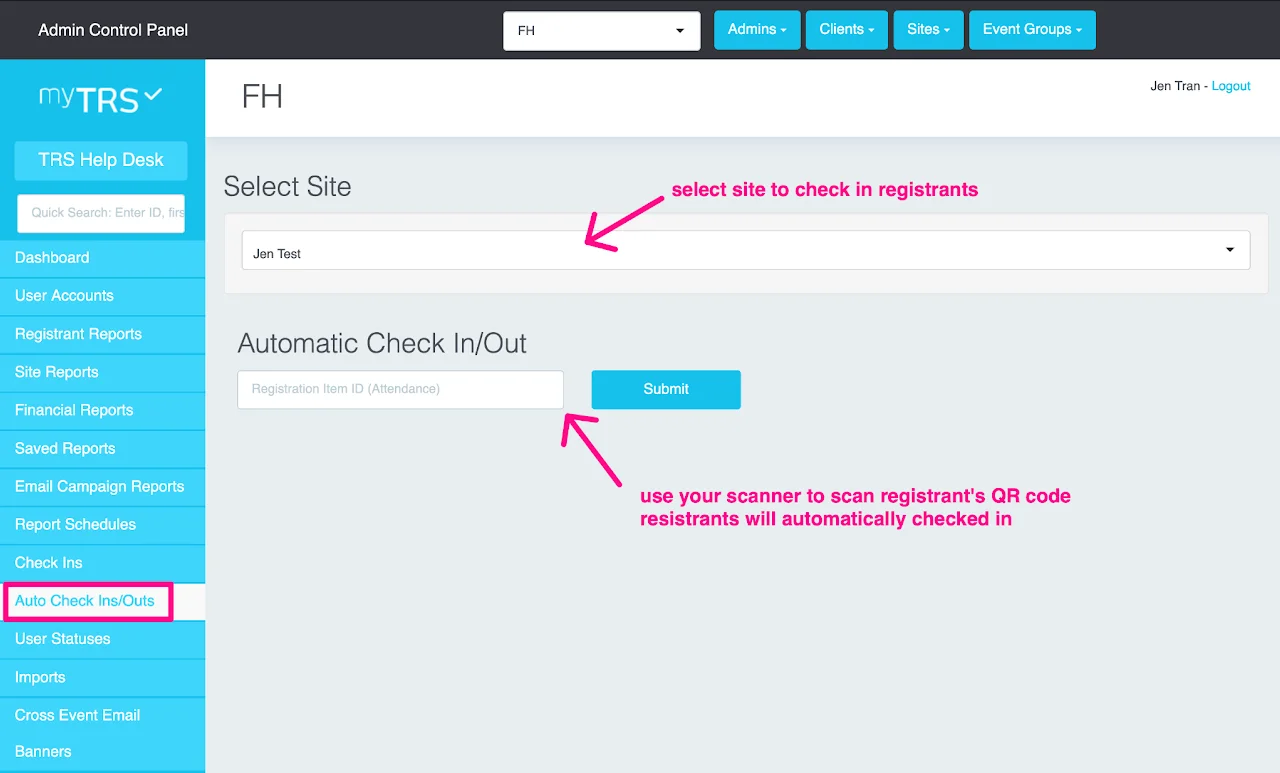
- During check-in the data transfers into TRS and populates a field in check-ins during the actual scanning process
Auto Check-ins/Outs
Auto Check-ins/Outs can be used if:
- You have set up "Generate QR codes in confirmation email" in General Settings
- Your registrants have received QR codes in their confirmation emails
- You have the recommended scanner
- Auto Check-ins/Outs on TRS is opened
- The scanner is directly connected to your laptop/computer (Windows or Mac laptops/desktops)