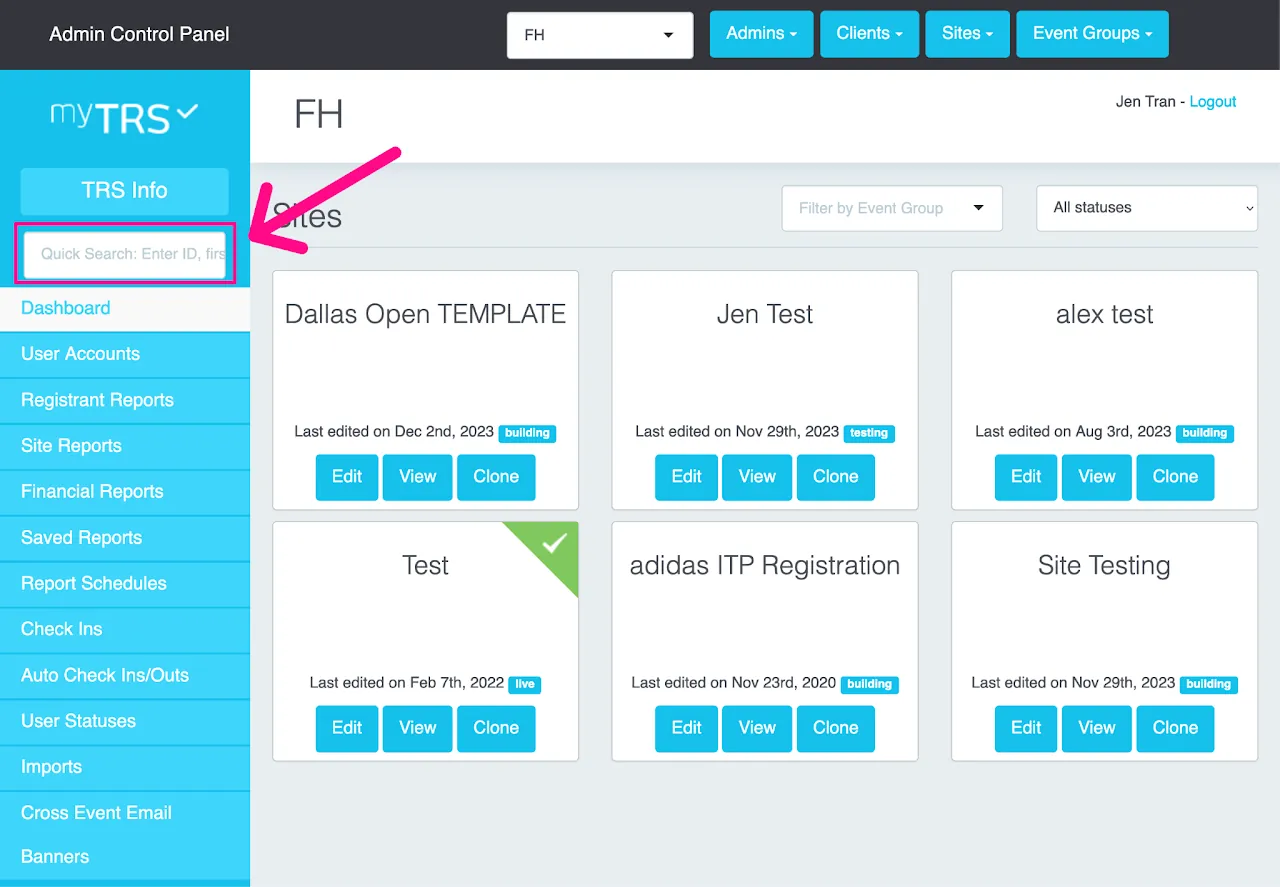
Quick Search
The easiest way to look up any registration records or users across your entire database is to use the Quick Search box on the top left side of your screen. You can search by first name, last name, company name, registrant ID# and email address. Do not search by full name.
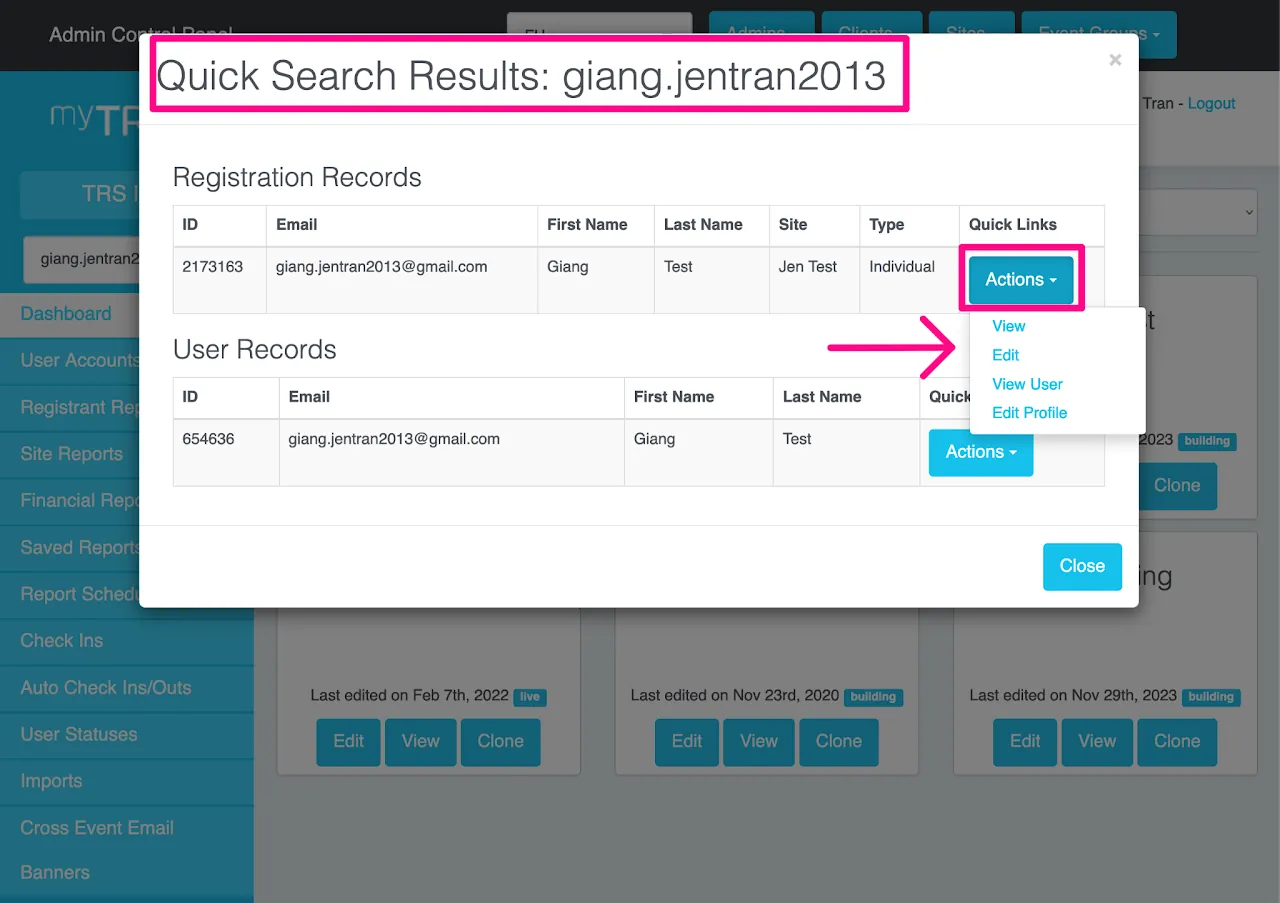
Once you find the right record (be sure you know which specific site you want), click "Actions." The "Actions" button will list several shortcuts:
View- take you directly to the registrant's full recordEdit- edit the scheduleView User- user account shortcutEdit Profile- edit the profile for this registration
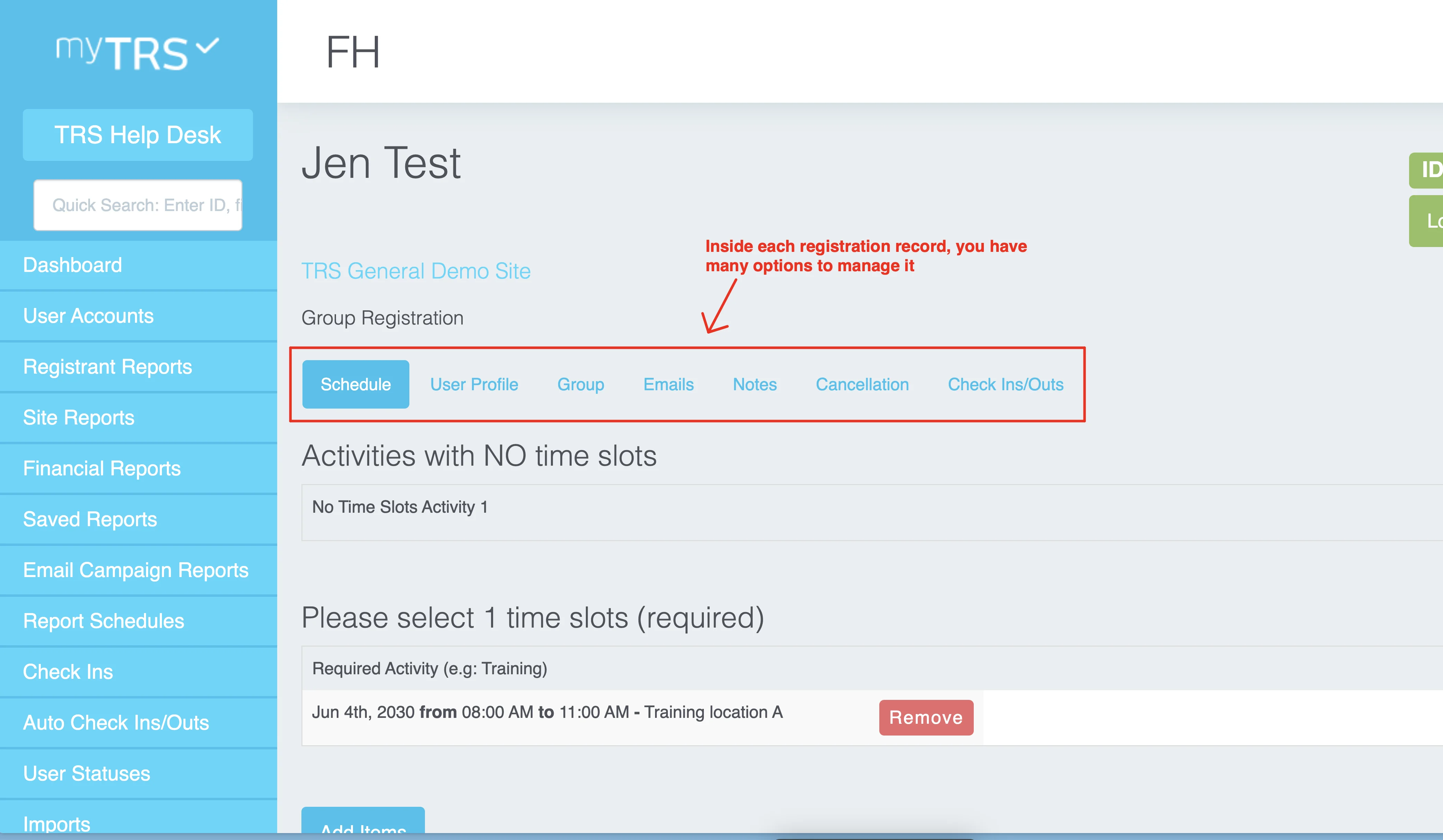
Once you click View on a registration record, you will find many options to manage that registration: