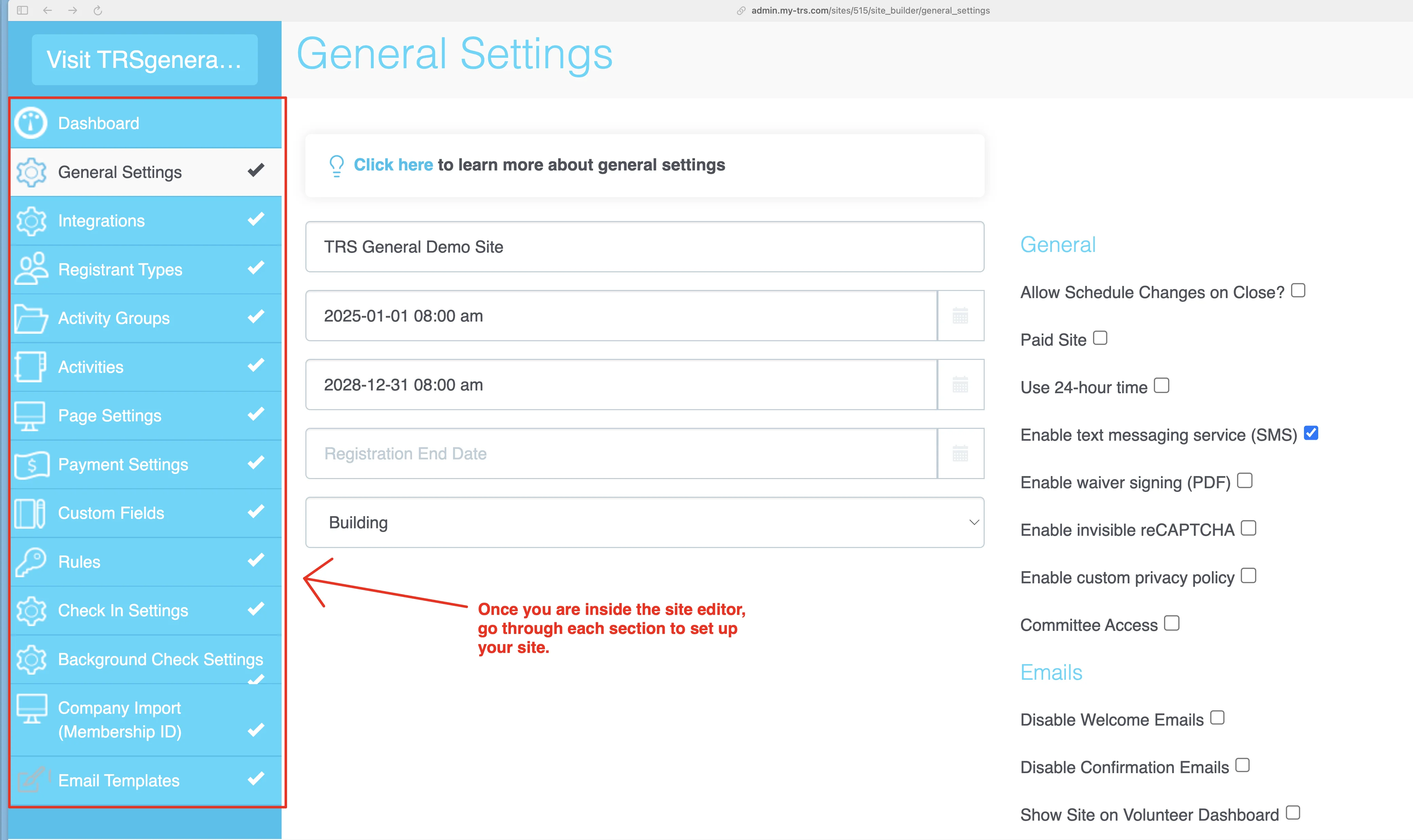
Site Editor
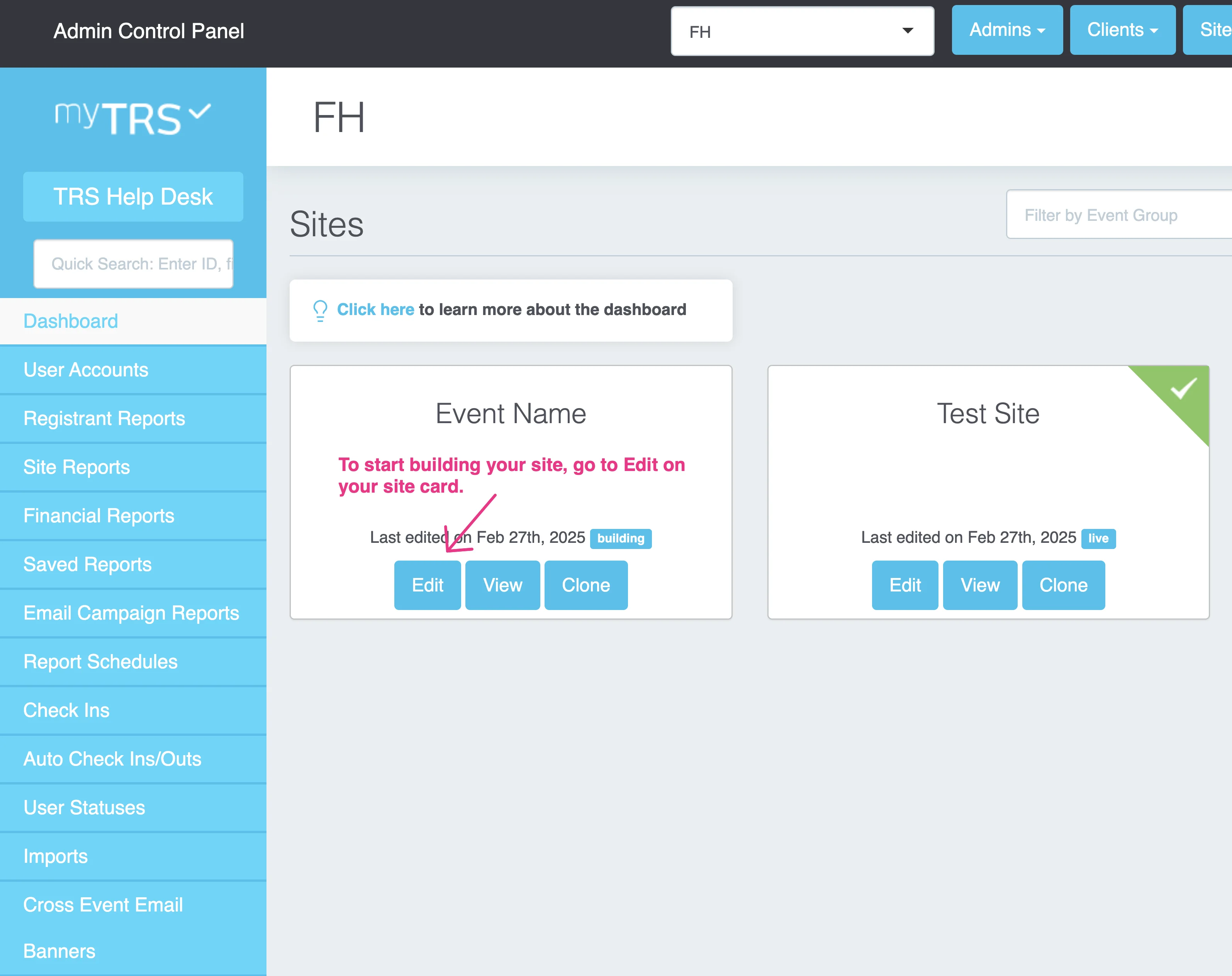
When you login to myTRS, you will see the Dashboard with the sites that you can manage. On each site card, you can:
- Click
EDITto access the site editor - Click
VIEWto see the live version of this site (i.e. what your registrants will see).
Once you are inside the site editor, see instructions here to set up your registration site.