Registration Management Tools
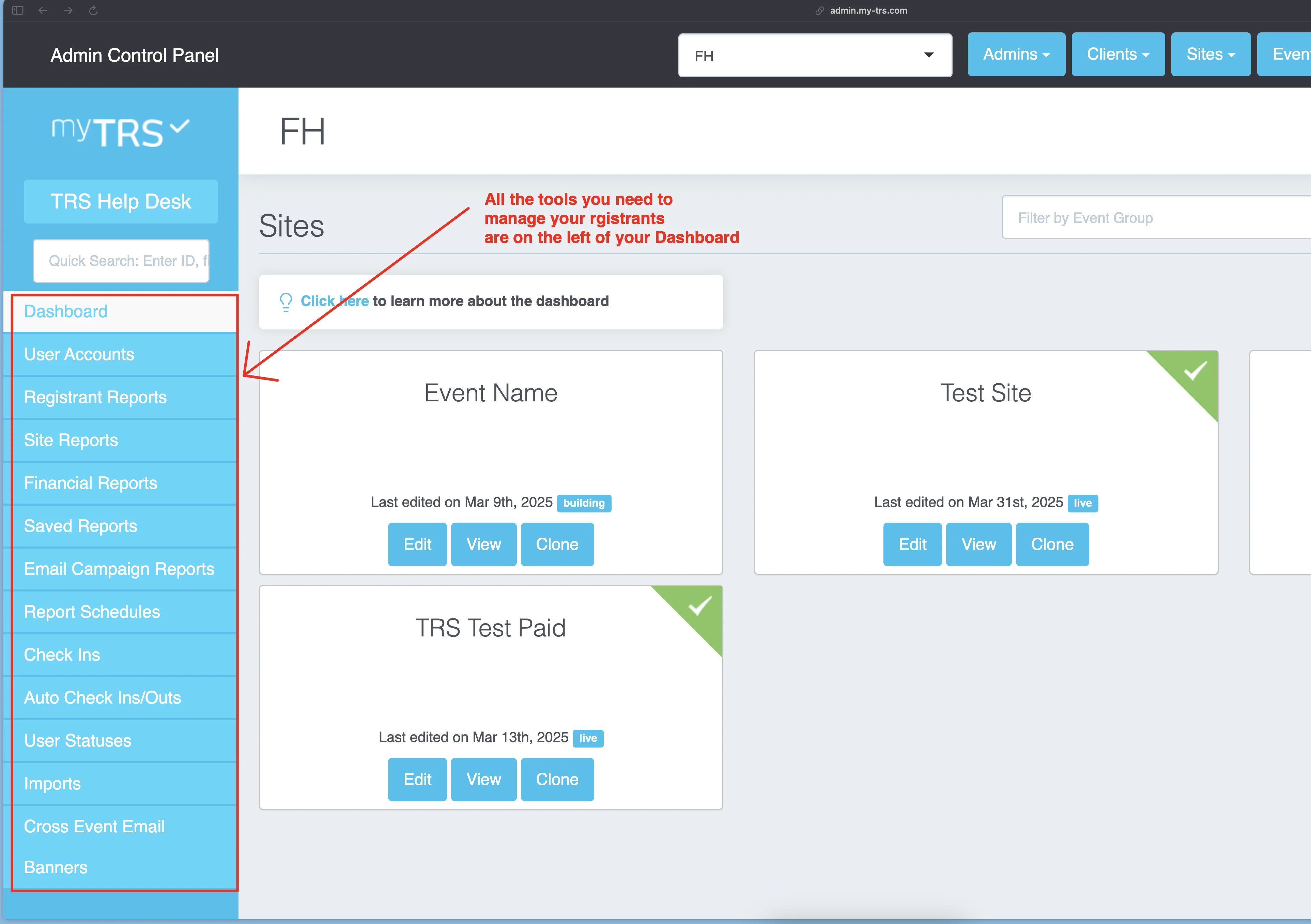
From your TRS admin dashboard, locate all the registration management tools on the left side.
Frequently used tools
User Accounts:view your entire registrant database & edit/remove individual users.Registrant Reports:view & customize different reports, send emails/SMS, and cancel registrations.Saved Reports:all reports that you customize and save can be found here.Email Campaign Reports:your email historyCheck-Ins:tool to check in registrants on event days.
Less frequently used tools
Financial Reports:if you collect payment on your site, use this report.Site Reports:view the details and total number of shifts on each siteImports:where you can generate templates to import registrations in bulk.Auto Check Ins/Outs:for clients who use QR code scanner (contact TRS support for more info).User Statuses:create custom statuses to mark registrants in reports.